For sellers who buy stock before they list it
Know what you can sell before you buy the stock.
Connect your selling account, type a brand or paste ASINs, and see what your account can list, marketplace by marketplace.
A brand check on a connected US account: ten Kendra Scott products sampled, seven approved, three not available, so the brand reads as mixed.
Ten marketplaces
- United Statesamazon.com
- Canadaamazon.ca
- Mexicoamazon.com.mx
- United Kingdomamazon.co.uk
- Germanyamazon.de
- Franceamazon.fr
- Italyamazon.it
- Spainamazon.es
- Japanamazon.co.jp
- Australiaamazon.com.au
Why it matters
Eligibility is decided per account, per marketplace, per product.
So the answer that matters is one for your account, for each marketplace you sell in, product by product. And it is worth having before you pay for the stock, not after.
Per account
Two accounts can check the same ASIN and get different answers. The answer is decided for your account, not for the product in general.
Per marketplace
A brand you can list in the United States can be closed to you in Germany. Every marketplace keeps its own rules.
Per product
Seller Central answers for one product at a time. A sourcing list is not one product.
Three steps
How it works
Connect
Sign in and connect your selling account with Login with Amazon. Nothing is checked until you do, and you can revoke the access in Seller Central at any time.
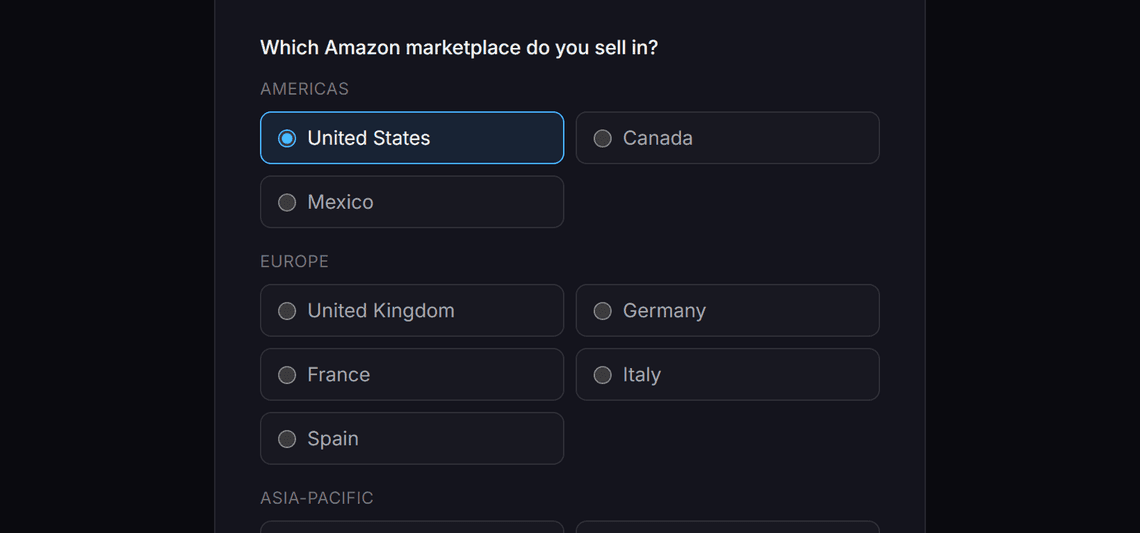
Pick the marketplace you sell in and connect through its own Seller Central. Ask
Type a brand name, paste a list of ASINs, or write the question in plain words. The app finds the products and asks the Selling Partner API about each product it checks.
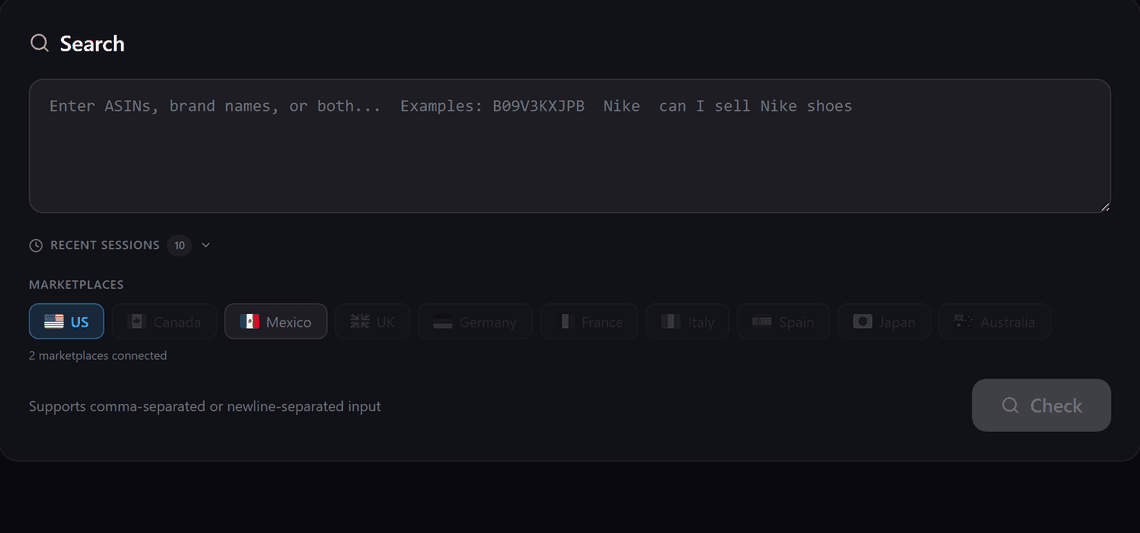
Brand names, ASINs or a plain question, in one box. Read the answer
Each product comes back approved, apply to sell, not qualified or not available, with a link to the approval page where one exists.
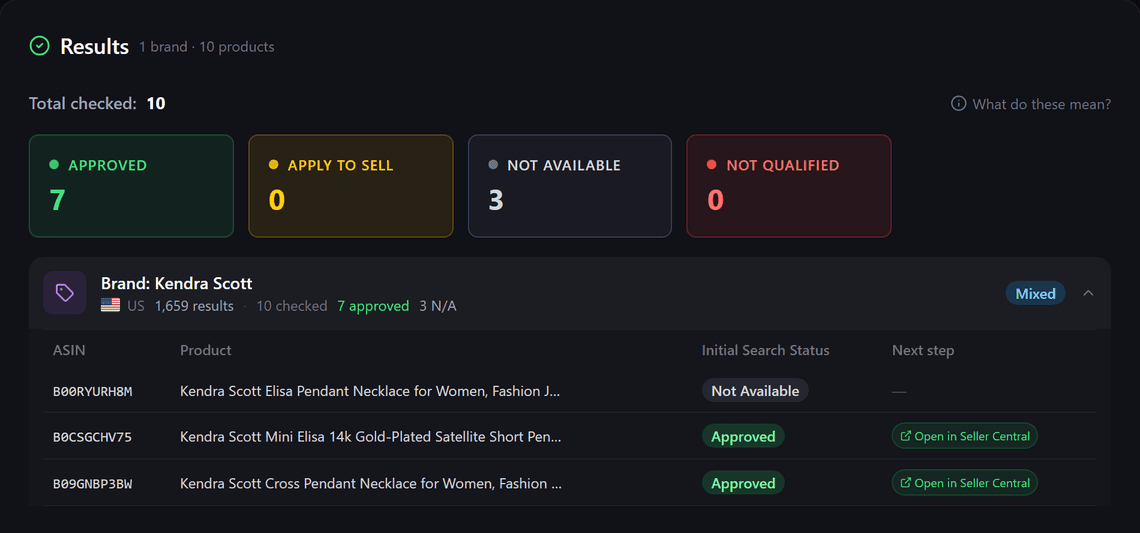
The four counts at the top, one row per product below, each with its next step.
Pick the marketplace you sell in and connect through its own Seller Central.
What it checks
What you get
A product research step for your sourcing list.
Brand check
Type a brand name. The app finds the catalogue products that carry it and checks a sample of them against your account, ten by default.
ASIN check
Paste one ASIN or a list of them, comma or line separated. Every product is checked on its own.
Plain-language search
Write the question the way you would ask a colleague. The app picks out the brand names and ASINs it finds and shows them to you before it checks anything, and every product it checks is listed with its title and ASIN.
Brands that share a name
Before it checks anything, the app shows which brand it matched on Amazon and lets you pick a different one, so a name two brands share is never guessed.
Mixed brands show their counts
Where some products are sellable and some are not, the summary shows the counts instead of forcing one verdict on the whole brand.
History, re-checks and export
Every check is kept for ninety days per connected account. Re-check a brand from your history or export the results as a CSV file.
Results
The four answers
Every product comes back as one of these. Each answer is what the Selling Partner API returned for your account at the moment of the check; it does not predict future eligibility. A check that fails says so, and a failure is never turned into an answer.
Approved
Your account can list this product now.
What to do: List it.
Apply to sell
An approval path exists. The app shows a link to the approval page.
What to do: Open the form yourself in Seller Central. The app does not confirm the outcome for you, so the result stays marked unverified.
Not available
There is no approval path for this product.
What to do: Leave it off the order.
Not qualified
The approval path is closed to your account.
What to do: Leave it off the order.
Your data
What it reads, and what it never touches
The app holds one role, Product Listing, and calls three operations with the permission you grant at connection. Your account is never modified.
Reads
- Catalogue search, to find the products that carry a brand
- Listing restrictions, the eligibility answer for each product
- The list of marketplaces your account is active in
Never touches
- Orders, buyers, payments or shipping information
- Your listings, prices or inventory
- Approval forms. It never applies or submits anything for you
Encrypted in transit
Data is encrypted in transit, and your authorisation is stored encrypted.
Used only for your checks
Your authorisation is used only for the checks you ask for. Nothing is sold, rented or shared.
Kept for ninety days
Check results are kept for ninety days, then deleted.
Delete, and it all goes
Delete your account in the app and the authorisation and every result go with it.
Revoke at any time
Revoke the access in Seller Central whenever you want.
Plain questions
When you write a question in plain words, the words you typed are sent to a language model to pick out the brand names and ASINs. Nothing from your account goes with them.
Cost
Pricing
Free
Free to use. There is no charge to connect an account, run a brand check or an ASIN check, or read your history. No card is required.
Create free accountBefore you sign up
Questions
The short answers. Anything else, ask us on the contact page.
Does the app apply for approval for me?
No. Where an approval path exists, it shows you the link to the approval page and you open the form yourself. It never submits anything to your account.
Why is a result marked unverified?
The API says that an approval path exists. It does not say whether the approval form is open to your account, and the app does not confirm that for you. So the result is marked unverified, on screen and in your history, and you check the form yourself.
Which marketplaces are covered?
United States, Canada, Mexico, United Kingdom, Germany, France, Italy, Spain, Japan and Australia. You connect through the Seller Central of the marketplace you sell in, and you can connect another marketplace later.
What can it see in my account?
One role, Product Listing. That covers catalogue search, listing restrictions and the list of marketplaces your account is active in. It receives no order, buyer, payment or shipping information, and it stores none.
How do I disconnect?
Revoke the authorisation in Seller Central whenever you want, or delete your account in the app. Deleting the account removes the authorisation and every check result at that moment.
Who is it for?
Sellers who buy stock before they know whether they are allowed to list it. Private label, wholesale, arbitrage, and agencies checking on behalf of the accounts they manage. You need an active selling account in a supported marketplace, and you must be the account owner or a user with permission to authorise applications.
Run the first check on your sourcing list.
Create a free account, connect your selling account and check the first brand on your list.
Free to use. No card required.